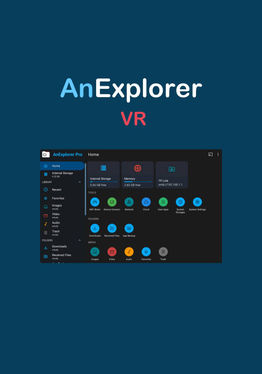
AnExplorer VR File Manager

关于

发行日期

2025年9月3日

发行商

DWorkS

AnExplorer VR File Manager is a simple, fast, and powerful file manager for Quest and Android devices. It helps you organise, transfer, and access files across internal storage, SD cards, USB drives, network shares, and cloud storages. It works across all Android devices including Meta Quest 2, Quest 3, Quest 3S, Quest Pro, and other VR headsets, as well as phones, tablets, TVs, watches. {"height":1440,"type":"image","width":2560} Storage Manager
Access files from SD cards, internal memory, USB OTG, flash drives, and external storage.

Network Manager
Connect to SMB, WebDAV, FTP, SFTP servers. Stream or transfer files from NAS and shared folders.

Cloud Manager
Manage Google Drive, Dropbox, OneDrive, Box, Yandex Disk, pCloud and Mega storages. Upload, download, delete, or preview directly in the cloud.

Offline WiFi Share
Wirelessly transfer files between your phone and Quest on the same WiFi network. Send multiple files instantly without cables or hotspots.

Device Connect
Turn your Quest into a mini server—access files from your browser on phone or computer.

Image Viewer
Preview images with zoom, swipe navigation, and slideshow support.

Music & Video Player
Play all types of audio like MP3, audiobooks and videos like movies.

Text Editor
Open and edit text files smoothly like TXT, HTML, XML, JSON, and more.

PDF Viewer
Read PDF documents with fast rendering.

Archive Viewer
View all types of archives lik ZIP, RAR, TAR, 7z, and more without extracting.

显示更多 显示更少

支持的平台

更多详情

评分与评测

3.55

201 个评分

Oculus 评分

更新

Common Issues Solved!

2025年11月28日

Common Issues on Meta Quest That AnExplorer Helps You Solve If you're using a Meta Quest headset, you may run into a few common file-related problems. Here’s how AnExplorer helps resolve them: 1️⃣ External USB Storage Not Showing / Not Accessible Quest 2 devices cannot natively detect or browse…

玩家评测

Yann_VR_FromUpNorth

2025年9月27日

5/5

How come? I wasn't expecting this!

I use multiple videos player but using the integrated player in this explorer improves the quality, blurry videos becomes More clear! I am happy with this!

23 人觉得有用

marklck

2026年4月2日

1/5

Hidden fees, app crippled.

This is not free, costs 9.99yr and 29.00 lifetime, most features do not work, hard to test app, free trial say expired, found leftovers on uninstall Recommend not to download load this app cannot test expanded features

22 人觉得有用

BGC_305Yoda.G

2026年1月5日

5/5

Revised Review : Better than expected!

I tried everything but purchasing this app to get at least 1 file to transfer from my USBC to the internal SSD and that was a NO GO! I used my Google Drive, which was totally free and less of a headache! <<— Initial Review… NEW REVIEW BELOW: January 5,2025 Review: So ignorance is bliss….! I am more than a man to extend my apologies for my own stupidity! These reviews carry weight so I do apologize for the initial ignorance! In order to transfer files (Or copy a file) You will have to hold down the front trigger (Whichever hand you prefer to use) and then you will see in the top right it says to copy. IF you have multiple files, Goto the top right and click on the gear which will then give you the option to select all. Navigate to your internal storage and or the preset selection of your MQ’s Folder Tree. I was harsh on these folks during my initial review. Sooo Frustrated that I have all of these important files that I wanted to transfer to my MQ3 that I won from my company (Yea… I work for Meta…) from a random drawing! I use one for work but we aren’t allowed to add these apps on our work device and I wouldn’t want to put my mother’s precious memories onto a work device! I started to purchase the program yesterday but decided to wait until the 5 day trial is up , so that I can familiarize myself with the app more. I will commend the support team for IMMEDIATELY reaching out to resolve within an hour or less! I never spoke with them. I do acknowledge and appreciate those actions! That means the Customer support is on point for anyone with issues. Again..IF you are trying to transfer ANY file or folder you have to hold down the trigger for a few seconds and then you should see in the top left (1 Copy). Navigate through the app to the specific folder you want to drop and at the top you will see (Copy “however many you selected” to this location?)an action to proceed to copy. Very easy! Thank you again and I do plan on purchasing as this app is SUPER USEFUL! Definitely overpowers Total Commander in functionality (IMO) from my testing so far.

22 人觉得有用

tiru_dhulipudi

2025年9月9日

5/5

Great app for a headset!

First full fledged file manager for Meta headset . Yay!!

17 人觉得有用

something_ig

2025年12月1日

5/5

Helpful

Used it to get cx file explorer quite simple

15 人觉得有用

在 Meta 上查看全部评测

相关游戏

发现

浏览

博客