SketchAR: MuralArt Drawing Projector

About

Release date

May 2, 2025

Publisher

Sketchar inc

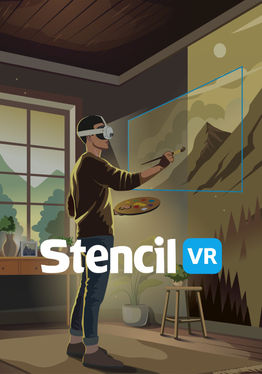
Sketchar helps you transfer sketches onto canvases and walls of any scale.

Key Features of Sketchar on Quest:

  1. UPLOAD YOUR OWN IMAGES EASILY From your smartphone, desktop, or Google Drive.

  2. UNLIMITED SCALE Project your artwork onto any wall or building — no matter the size.

  3. CURVED SURFACE MODE Wrap, bend, and project any sketch onto almost any shape — columns, water tanks, helmets, skate bowls, the inside and outside of a corner, and more.

  4. MULTIPLAYER MODE Several headsets can see the same sketch, in the same place, on the same wall. Mural teams, schools, and live events can finally paint together.

  5. LEARN Access 1,000+ guided drawing lessons and templates covering portraits, anime, animals, architecture, and more.

  6. INTUITIVE INTERFACE Set up your image in seconds. Place, rotate, and position your sketch with natural hand gestures.

Have ideas to improve Sketchar or want to collaborate? We'd love to hear from you — reach out at [email protected]

Show more Show less

Supported platforms

Additional details

Genres
Player modes
Game modes
Languages

Ratings & reviews

3.15

231 ratings

Oculus rating

Updates

Draw murals together in real-time – Multiplayer is LIVE

September 3, 2026

Sketchar Multiplayer: Mural Painting Becomes a Team Sport We just released something no one has done before: multiplayer wall drawing on Meta Quest. Several artists, several headsets, one shared sketch on one real wall. A little backstory In 2018 we our first headset app on Microsoft HoloLens —…

Draw on Curved Walls & Corners – Sketchar Surface Mode

June 17, 2026

We invented Sketchar and AR drawing concept back in 2012. Since then, "point your phone at a wall and trace your sketch" has become the way a whole generation of mural artists work. But the world isn't flat — and walls aren't the only canvas. Columns, water tanks, helmets, skate bowls, the inside…

Player reviews

TV

February 9, 2026

2/5

Promising but disappointing

As a long-time user of the Sketchar mobile app, I was genuinely excited about the Meta Quest VR version. The idea of using VR to replace a physical projector is compelling, and it’s exactly why I didn’t hesitate to spend $50 on a yearly Pro membership. Unfortunately, in its current state, the VR app doesn’t yet deliver on that promise. Several features demonstrated or implied in the tutorial aren’t functioning as expected. After selecting an image, the menu often becomes inaccessible, requiring a full restart just to continue. Essential tools for serious use—such as grid overlays, Z-axis positioning, and fine-grained adjustment controls—are missing. The experience is also unstable: images glitch, reset, or shift unexpectedly, and once that happens, it’s extremely difficult to realign them accurately. That said, I want to be clear: I’m rooting for this to work. The concept is strong, and the ability to sync with the mobile app (which I’ve already invested in) shows real potential. I’m now close to $200 in across subscriptions and hardware because I believe in what Sketchar could be. As a loyal user, my disappointment comes from high expectations, not dismissal. With stability improvements and the addition of basic alignment and control features, this could become a genuinely powerful tool for artists. I hope the team continues developing it, because I would love nothing more than to see this platform succeed.

117 found this helpful

TiagoGRANDE

September 23, 2025

1/5

Can I upload my own images?

It seems that I can only upload my own images if I upgrade for PRO. Othewise it doesn’t allow me to access my Google Drive… is this normal or is there another way of using my onw images on the app with Meta Quest 3s?

83 found this helpful

penguindino

July 8, 2025

1/5

Disappointed.

Why is an art game just filled with AI? I didn't have great expectations going into this game after reading the reviews, but you are really stupid if you're putting AI generated images into an ART APP. Remember kids, AI is not real art, and if you're putting AI and (possibly) stolen art into your low quality app, don't expect people to use it.

75 found this helpful

Atmatan

May 27, 2025

1/5

Not even remotely novel

Its a png viewer. That is literally it. Not a drawing app, not a useful tool. You can literally already do everything this app does using your browser and file manager alone. Bad marketing, poor explanation, underwhelming product.

40 found this helpful

vVvSaTuRnvVv

December 26, 2025

4/5

Great app freezes a lot

I really love using this app. The only problem I have with it is after I select one option use it for a little bit. It freezes almost every time making it very tedious work on anything. So if that were to be fixed then this would be a five-star app all the way

39 found this helpful

Show all reviews on Meta

Related games

ABT ABT
  • Productivity
  • Learning
  • Creativity
ABT

Free

3DtoMe 3DtoMe
  • Productivity
  • Learning
  • Creativity
3DtoMe

Free

XRcreate XRcreate
  • Productivity
  • Learning
  • Creativity
XRcreate

Free

Discover

Browse

Blog