About

Release date

June 7, 2026

Publisher

Overay Inc.

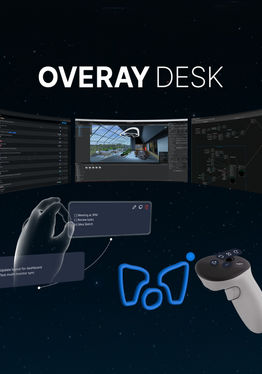
One Mac or PC. Up to 5 Virtual Monitors in XR.

Connect your Mac or PC and build a personal XR setup with multiple screens without adding more physical monitors.

✅ Supports macOS and Windows

💻 Up to 5 virtual monitors

💳 Pay once. No subscription.

—

💻 Build Your Multi-Screen Setup

Arrange up to five screens around you and return to the same layout in your next session.

—

✨ More Than Just Screens

Keep useful tools nearby without leaving your XR space.

• Web Browser

• Notes and Pomodoro Timer

• XR Pen for drawing in your space

—

🚀 Get Started in Minutes

  1. Download the Host app for macOS or Windows at desk.overay.com

  2. Pair your headset and computer

  3. Start with a ready-to-use layout or build your own

For a standard wireless connection, keep your computer and headset on the same network.

—

💬 Need Help?

Running into an issue? Join our Discord and our team will help you get connected.

→ https://discord.com/invite/hgKnEHfwkr

Show more Show less

Supported platforms

Additional details

Genres
Player modes
Game modes
Languages

Ratings & reviews

3.95

9 ratings

Oculus rating

Updates

v2.4.0 Update

August 28, 2026

New Features VR Microphone Support - Use your VR headset's microphone directly on your PC for meetings, voice calls, recording, AI voice input, and more. Currently available when connected to a macOS PC. Windows support is coming soon. Flexible Object Placement - You can now place objects more…

v2.3.0 Update

July 31, 2026

Now Available on macOS(Beta) Stream your Mac screen directly to VR. Improvements - Improved browser rendering for sharper text and smoother scrolling. - Updated the WebRTC streaming engine for better image quality and connection stability. - Improved sleep mode transition logic when taking off…

Player reviews

Vitor19897

June 18, 2026

5/5

Best PCVR workspace and dev support

You can work with 6 virtual monitors placed where you like. Overay has a virtual PEN that you can use for 3D design. It helps me to explain my ideas to my wife. It works like a charm if you are in the same network as your PC. The discord community with the developer team helps a lot, and updates about new features and bugfixes If you have any problems, go to Discord

4 found this helpful

JoonHyug

June 18, 2026

5/5

The best virtual workspace app

I tried it after a friend recommended it, and compared to other apps, it feels much more flexible and lets me use mor monitors, which I really liked.

3 found this helpful

nowkoo890

September 2, 2026

5/5

Pretty good so far

Been using it for a bit and I like it. Took me a little while to get everything set up the way I wanted, but after that it’s been great. The multi-monitor setup is really flexible, and you can arrange everything pretty much however you want.

2 found this helpful

Sleeping.Sneeze

June 18, 2026

3/5

Trouble shooting

Have a pc problem but going to get developer support and try again! A new day and I've no longer snapped. Looking all the way back to a day ago I really should have contacted the developers before throwing my keyboard. Full review when I get it working.

Atomic_ADHD

June 16, 2026

1/5

Sucks! Won't connect

Wasted money.

Show all reviews on Meta

Related games

Discover

Browse

Blog